
01
Insights
Capture field information through text, photos and voice notes. Diary and note entries are one input among many, feeding a wider project record that can be searched, retrieved and reported from.
FieldLab connects Insights, Site KB and FieldGuide so construction teams can capture field evidence, query uploaded knowledge and retrieve source-backed answers from site records, project documents and company knowledge.
PROJECT INSIGHTS· SITE KB · FIELDGUIDE
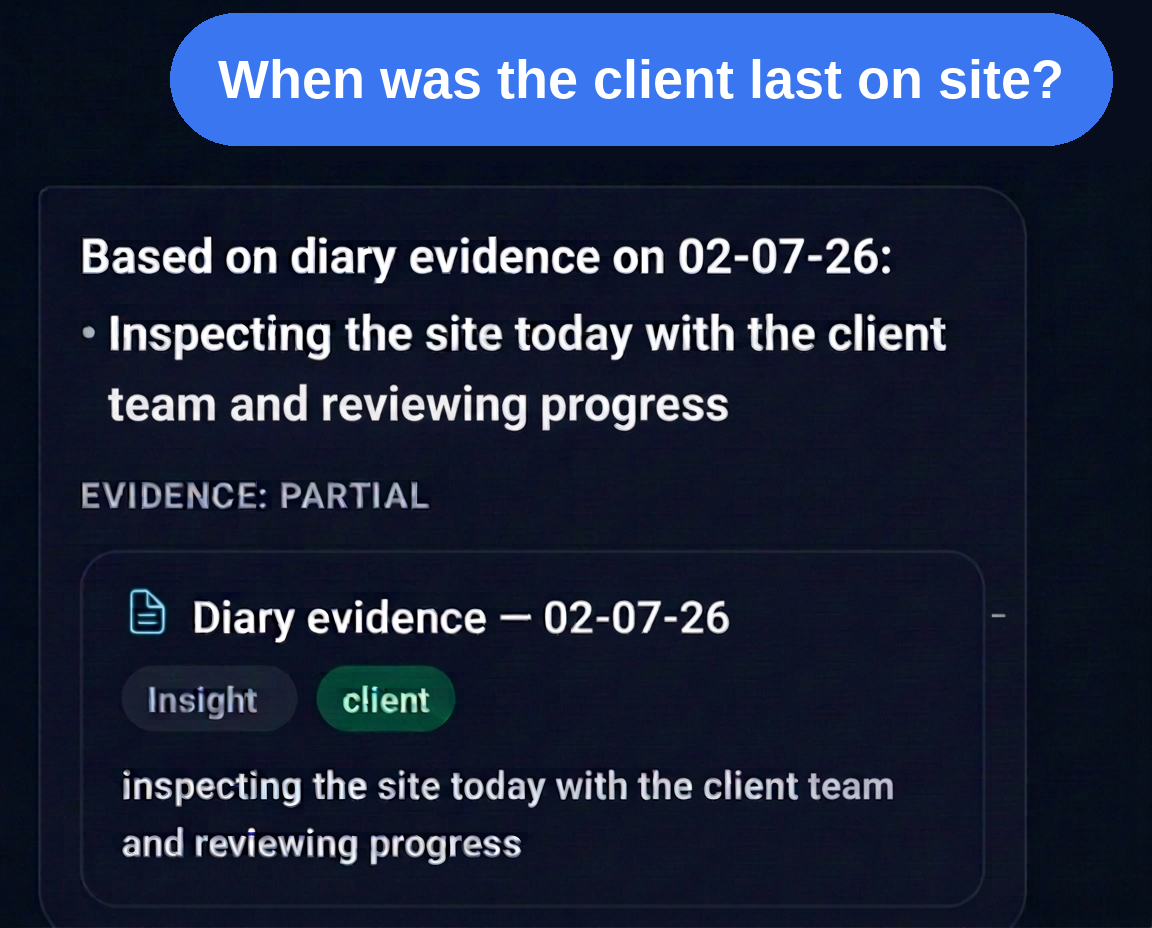
When was the client last on site?
The client last visited site on 14 June 2026 for the level 4 progress walkround with the PM and site manager.
When were the windows to level 4 installed?
Level 4 windows were installed between 02 and 06 June 2026 by the approved facade subcontractor, signed off on 07 June.
When was housekeeping last requested to contractor?
Housekeeping was last formally requested to the main contractor on 18 June 2026 following the weekly H&S walk.
Capture on site, without breaking your day
Add voice notes, photos and text updates through the day, then generate a polished daily diary from the messages already captured. Daily entries can roll up into weekly summaries, and the same records can support source-backed answers later.
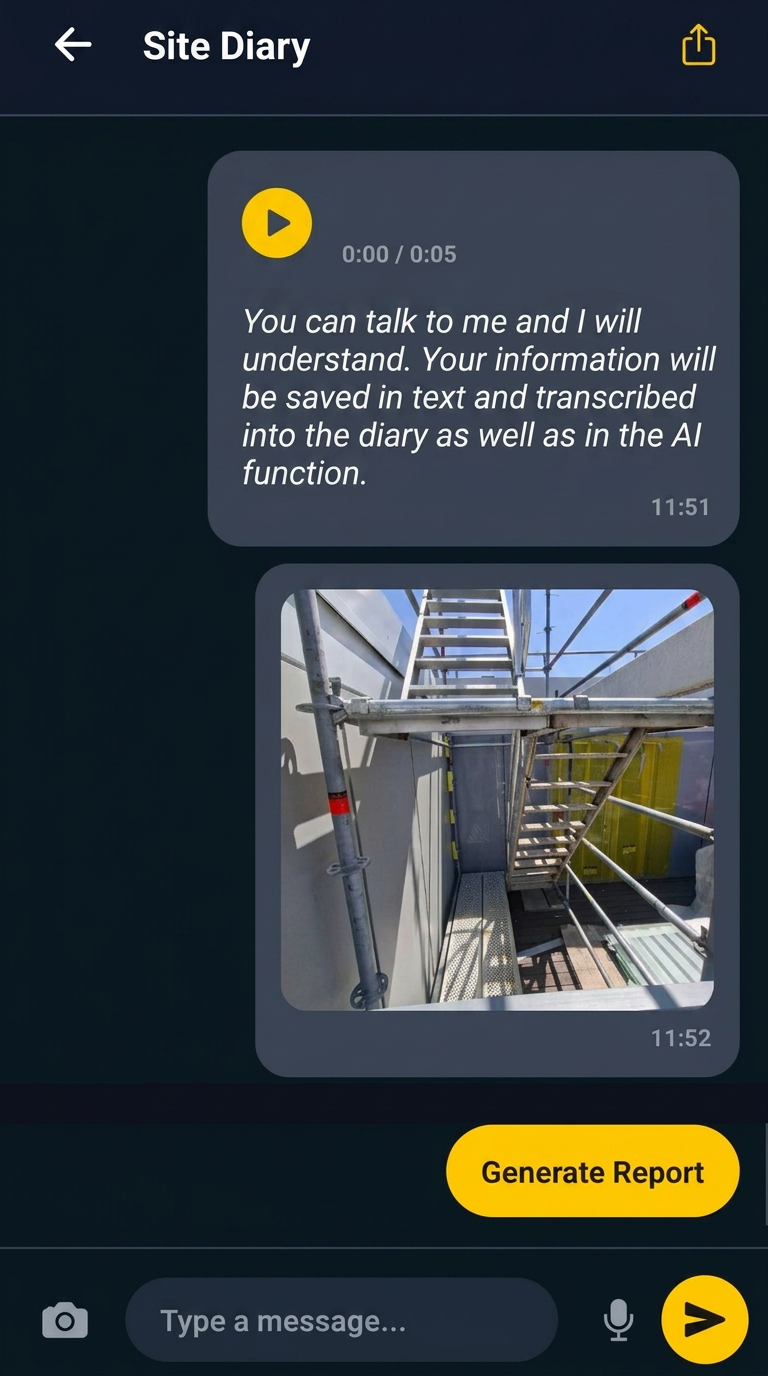
See it in action
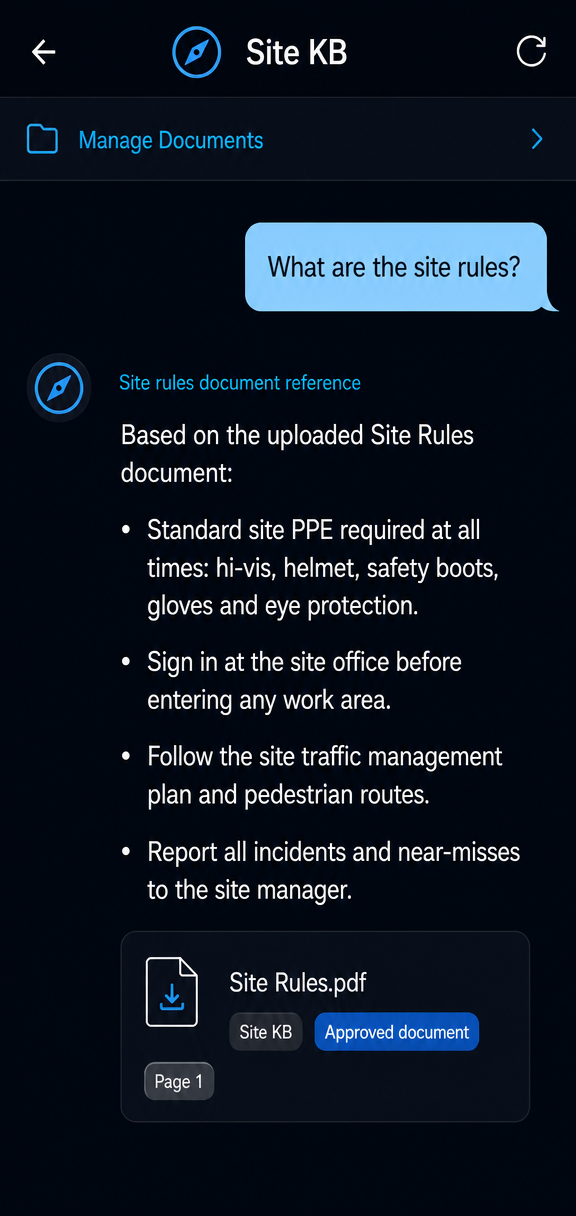
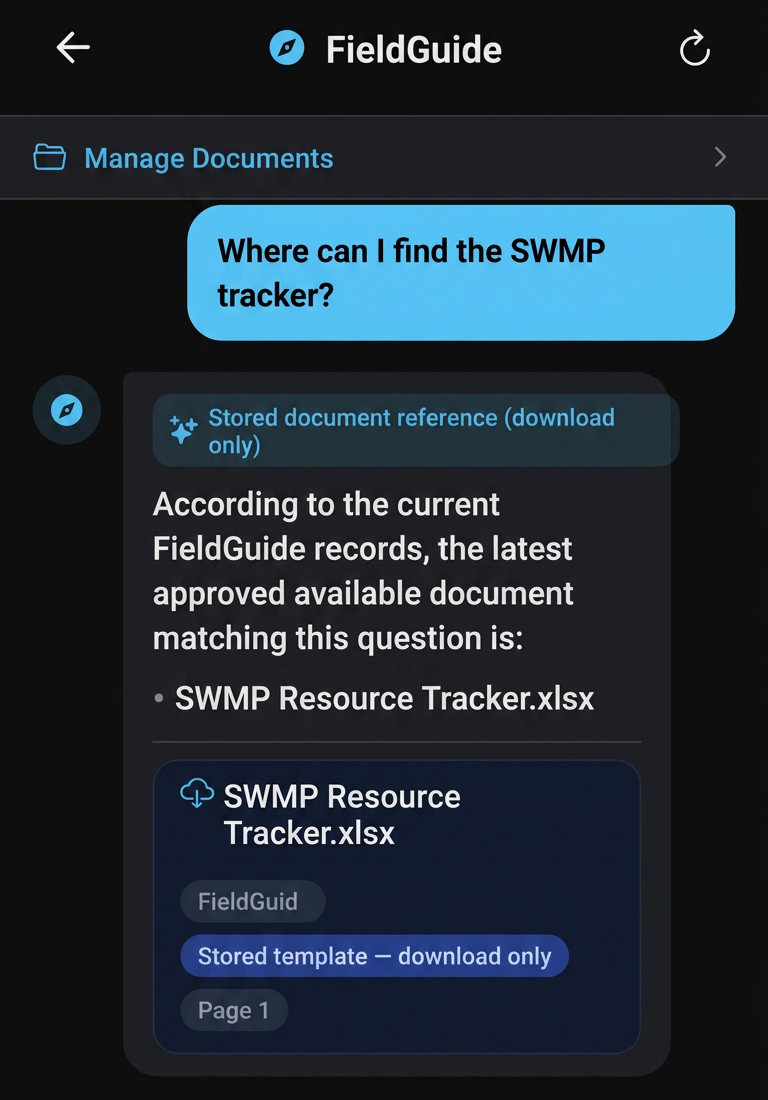
Ask a question, get a grounded answer, and return to the source behind it. FieldLab connects site records, project documents and company knowledge so teams can stop hunting through notes, folders and screenshots.
Product screenshots from a controlled test environment.
Insights
Site KB
FieldGuide
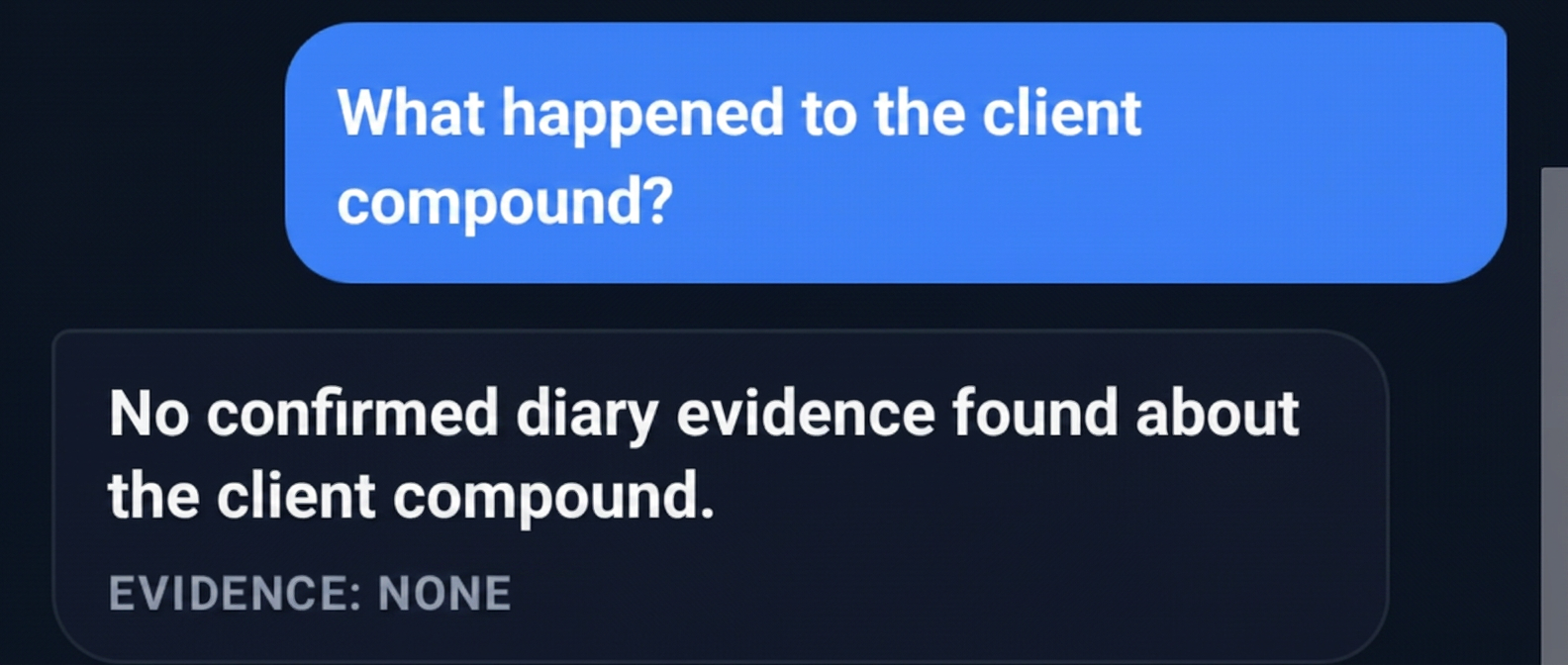
Honest “no”
If FieldLab cannot find source-backed evidence, it should say so rather than guess.
FieldLab is a construction intelligence platform that connects Insights, Site KB and FieldGuide so teams can capture field evidence, query uploaded knowledge and retrieve source-backed answers from site records, project documents and company knowledge.
01
Capture field information through text, photos and voice notes. Diary and note entries are one input among many, feeding a wider project record that can be searched, retrieved and reported from.
02
Find the right answer across uploaded project documents, safety files, specifications, reports, SDS, RAMS and approved project knowledge.
03
Ask project and company knowledge questions through FieldGuide, with source-backed answers drawn from authorised records and uploaded knowledge.
Supporting workflows include reports, meetings, access control and audit-minded records.
01
Records, photos, documents and decisions end up split across chats, folders and memory.
02
Teams rebuild the same information for reports, meetings and handovers.
03
When answers matter, people chase folders and colleagues instead of the source.
FieldLab helps authorised users across delivery, commercial, quality, planning, admin and leadership teams find the project and company information they need.
Access depends on role, project, organisation and permission settings.
Get answers backed by captured records and uploaded sources.
What PPE is required to install the approved EPDM?
Safety glasses and suitable gloves are required by the uploaded SDS. Site rules also require standard site PPE such as hi-vis, helmet and safety boots where applicable.
What should I check to confirm it has been installed correctly?
Check the installation guide for bonded areas, lap requirements and pre-formed corner details before sign-off.
What should be the first aid in case of contact with eyes?
Follow the first-aid section of the relevant SDS. For eye contact, rinse as instructed by the SDS and seek medical advice where the source requires it.
FieldLab is being prepared for controlled pilots with construction teams that need source-backed retrieval from site records, project documents and company knowledge.
Deployment, compliance and retention requirements should be reviewed and agreed against each pilot scope before live use.